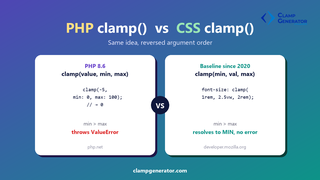
Short answer: PHP’s clamp() and CSS’s clamp() do the exact same job — restrict a value to a min/max range — but they take their three arguments in a different order, and they fail differently when the range is invalid. PHP is clamp(value, min, max). CSS is clamp(min, value, max).
That order swap is the single most common mistake developers make when moving between the two — copying a PHP call into CSS (or vice versa) with the arguments in the wrong slots silently produces the wrong number instead of an error.
What is PHP’s clamp() function?
PHP added a native clamp() function in PHP 8.6, living alongside min() and max() in the Math Functions group:
clamp(mixed $value, mixed $min, mixed $max): mixedecho clamp(-5, min: 0, max: 100); // 0
echo clamp(55, min: 0, max: 100); // 55
echo clamp(103, min: 0, max: 100); // 100Key behaviors:
- Argument order: value first, then min, then max.
- Return type: the original value’s type, unchanged — no int/float coercion.
- Invalid range: if
minis greater thanmax, PHP throws aValueError. - NAN: if
valueisNAN, the result isNAN. IfminormaxisNAN, PHP throws aValueError.
Before PHP 8.6, the standard way to write this was:
$result = max($min, min($value, $max));That formula — max(min, min(value, max)) — is worth remembering, because it’s exactly how CSS defines its own clamp() internally.
What is CSS’s clamp() function?
CSS’s clamp() has been Baseline “widely available” since July 2020. Its syntax puts the minimum first:
clamp(MIN, VAL, MAX)font-size: clamp(1rem, 2.5vw, 2rem);
width: clamp(200px, 40%, 400px);MDN defines it precisely as a formula, not a conditional:
clamp(MIN, VAL, MAX) = max(MIN, min(VAL, MAX))Key behaviors:
- Argument order: min first, then the preferred value, then max.
- Return type: a CSS value (
<length>,<percentage>,<number>, etc.) matching whatever the property expects. - Invalid range: if
MINis greater thanMAX, there’s no error — the formula still resolves, and the result isMIN(becausemax(MIN, anything ≤ MIN)is alwaysMIN). - Live-recalculated: unlike PHP’s one-time function call, CSS’s
clamp()re-resolves continuously as the viewport, container, or referenced custom property changes.
PHP clamp() vs CSS clamp(): side-by-side
PHP clamp() |
CSS clamp() |
|
|---|---|---|
| Added in | PHP 8.6 | Baseline since July 2020 |
| Argument order | (value, min, max) |
(min, value, max) |
| Runs | Once, server-side, at call time | Continuously, in the browser, at layout/paint time |
| Internally equivalent to | max($min, min($value, $max)) |
max(MIN, min(VAL, MAX)) |
min > max |
Throws ValueError |
No error — resolves to MIN |
| Return type | Original PHP type, unchanged | CSS value type matching the property |
| Typical use | Validating/normalizing a request value, a score, a date | Fluid font-size, width, padding, gap without media queries |
Using the same numbers in both
Say you want a value that never drops below 16 or rises above 48. The clamping rule is identical — only where each argument sits changes:
// PHP — value first
$fontSize = clamp($computedSize, min: 16, max: 48);
/* CSS — min first */
font-size: clamp(16px, 4vw, 48px);If you’re generating a CSS clamp() value from PHP (for example, in a WordPress theme or a server-rendered template), it’s easy to pass your variables in PHP’s order by habit and get a visually broken result — the browser won’t error, it’ll just clamp to the wrong bound. Our Font Size & Typescale Clamp Generator and Layout & Spacing Clamp Generator always output arguments in the correct CSS (min, val, max) order, so you can copy-paste the result straight into a PHP-templated stylesheet without re-ordering anything by hand.